
A collection is a folder of songs in your library, like an album in progress, a setlist, or your band's book. When you share a collection, everyone you add can open its songs and play the recordings inside, and songs you add later are shared automatically. You choose whether each person Can edit or Can view. Anyone can make collections, and sharing them is part of Pro. Your Pro covers the people you share with, so they don't need their own.
Make a collection
- In your library's sidebar, click + next to Collections.
- Type a name and press Enter.
- Add songs: in your library, open a song's ⋯ menu, choose Add to collection…, check the collection, and click Done.
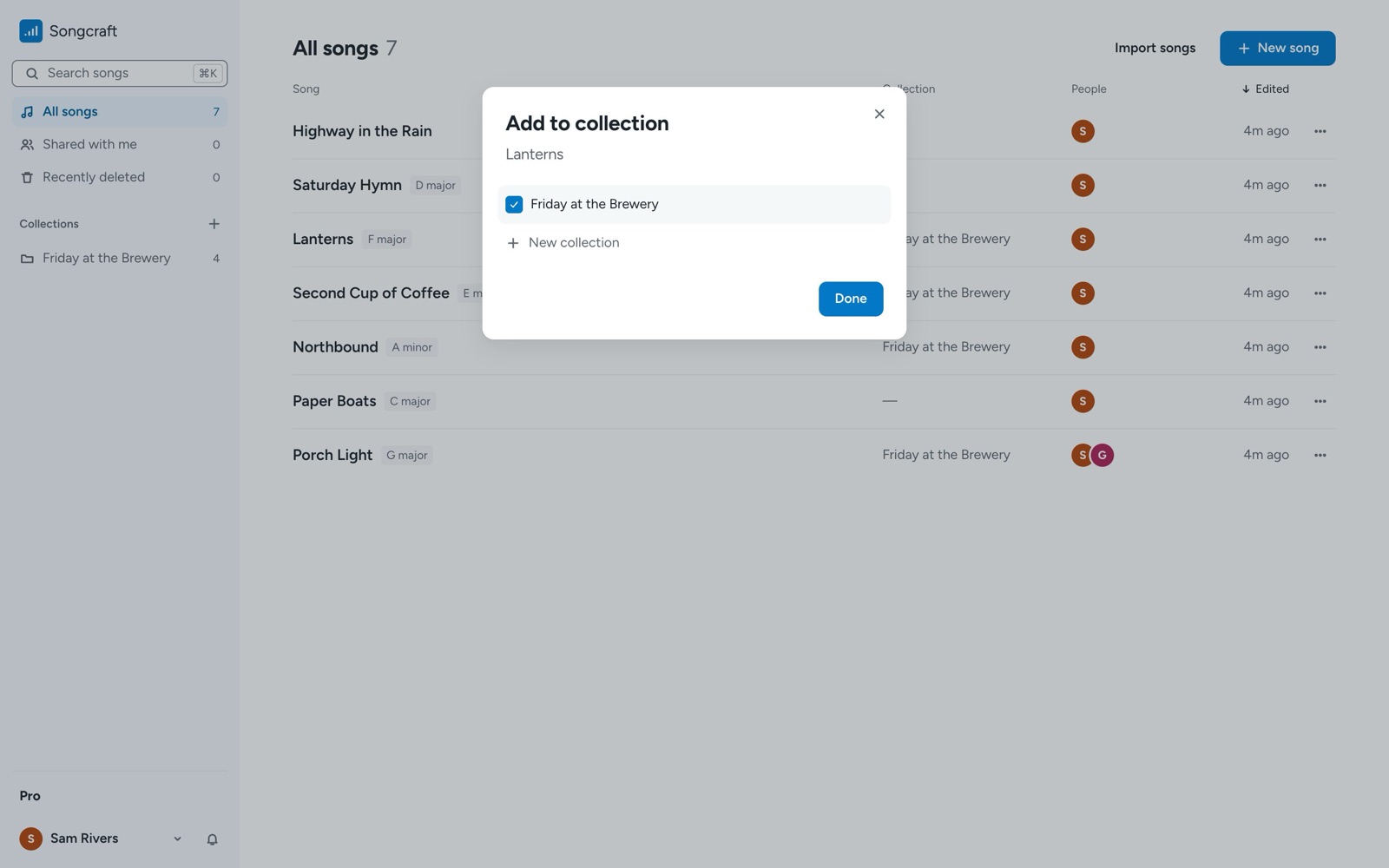
You can also choose Add to collection… from the menu under a song's title while you're in it.
Share it
- Open the collection.
- Click Share in the header.
- Under Add people by email, type an email address.
- Choose Can edit or Can view, and click Invite.
- Click Done.
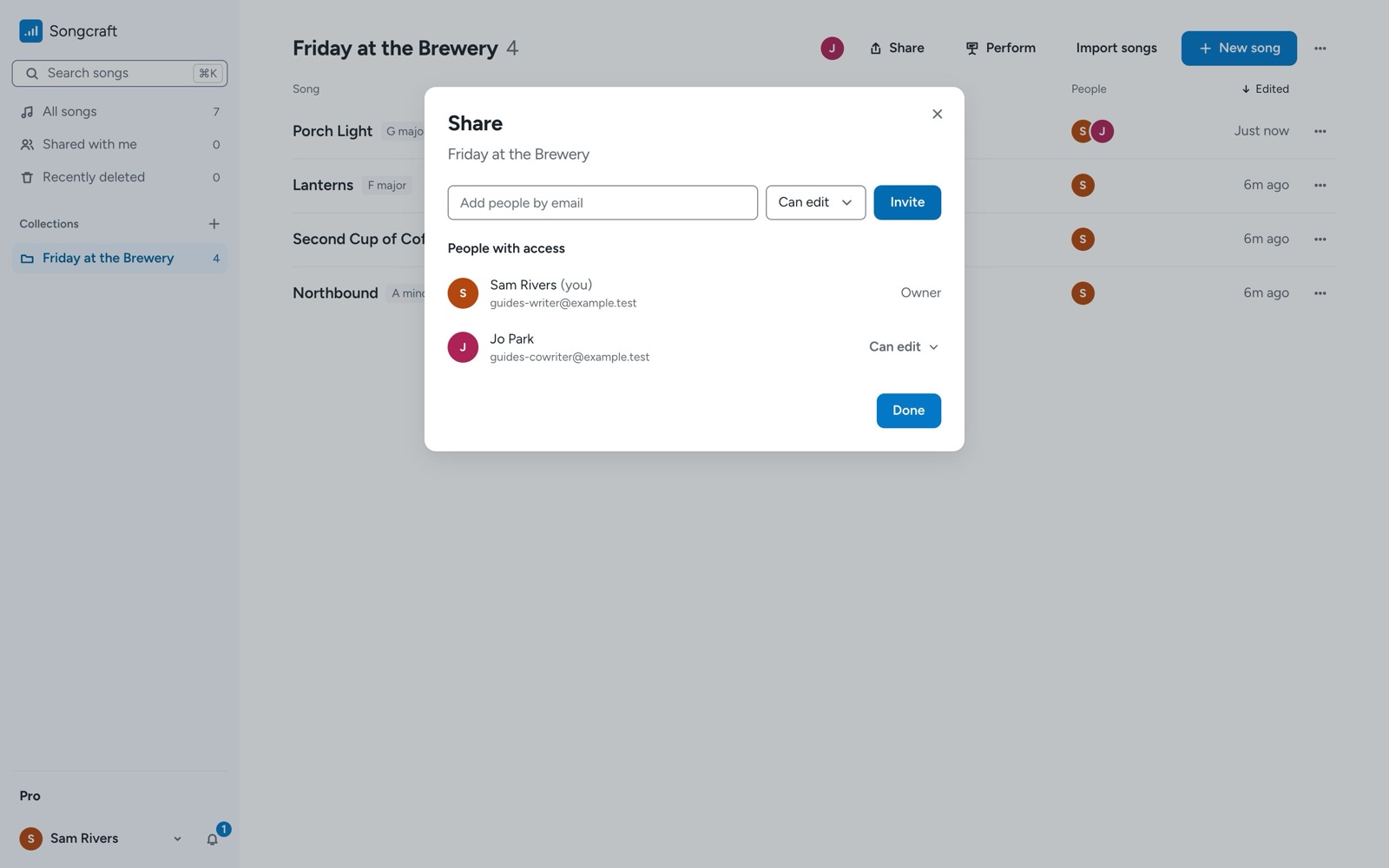
People who Can edit can change the songs and add their own songs to the collection. People who Can view can open the songs, play the recordings, and use the collection as a set in Perform, but they can't change anything.
What the people you share with see
The collection appears in their sidebar under Shared with me, with their role beside its name. Each song is marked with who shared it.
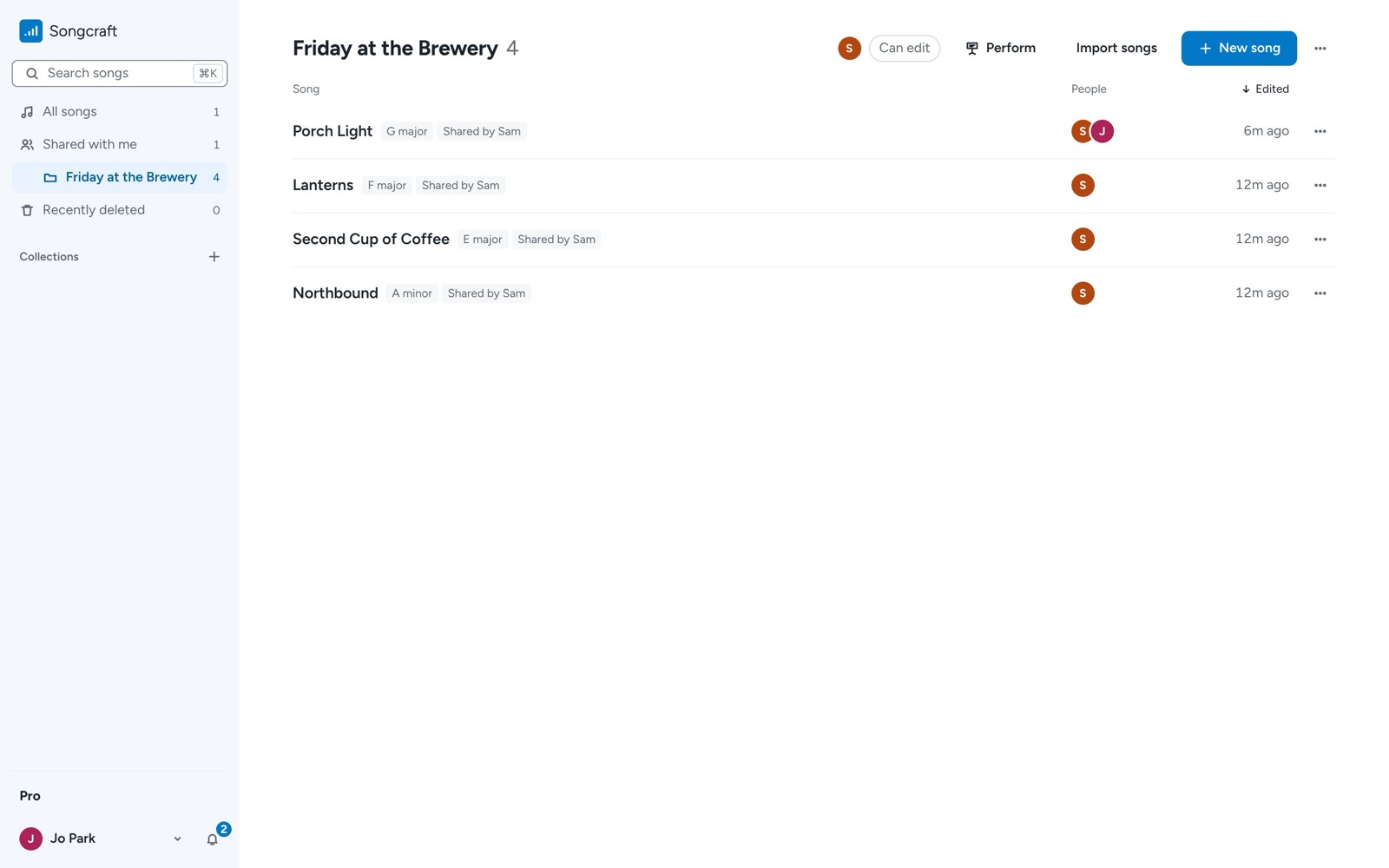
Songs in a shared collection don't count toward a member's free song limit, so a bandmate on the free plan can open every song in your book.
Change roles or remove someone
Open the collection, click Share, and use the menu beside a person's name to switch between Can edit and Can view, or choose Remove access. A member who wants to leave can choose Leave collection from the collection's ⋯ menu.
Tips
A collection shares the songs you own and the songs people with Can edit add to it. If you add a song someone else shared with you, only its owner can share it, and the Share dialog tells you how many songs that applies to. To share a single song with one co-writer, use Share at the top of the song instead (see Write songs with co-writers). If your Pro ends, sharing pauses until you're back, and you can still remove people.
Shared collections work well as sets for your band. See Play your songs on stage with Perform and sets.