
Songcraft prints your songs as clean charts, in one or two columns, with the choice of chords, Nashville numbers, or lyrics only, and with or without tabs and chord diagrams. You can download any song as a PDF, and with Pro you can download it as a ChordPro file or export your whole library, recordings included, in one click. Printing and PDFs are free on every plan.
Print a song or download a PDF
- Open the song.
- In the top bar, click Print and choose Print or Download PDF. On a phone, they're in the ⋯ menu.
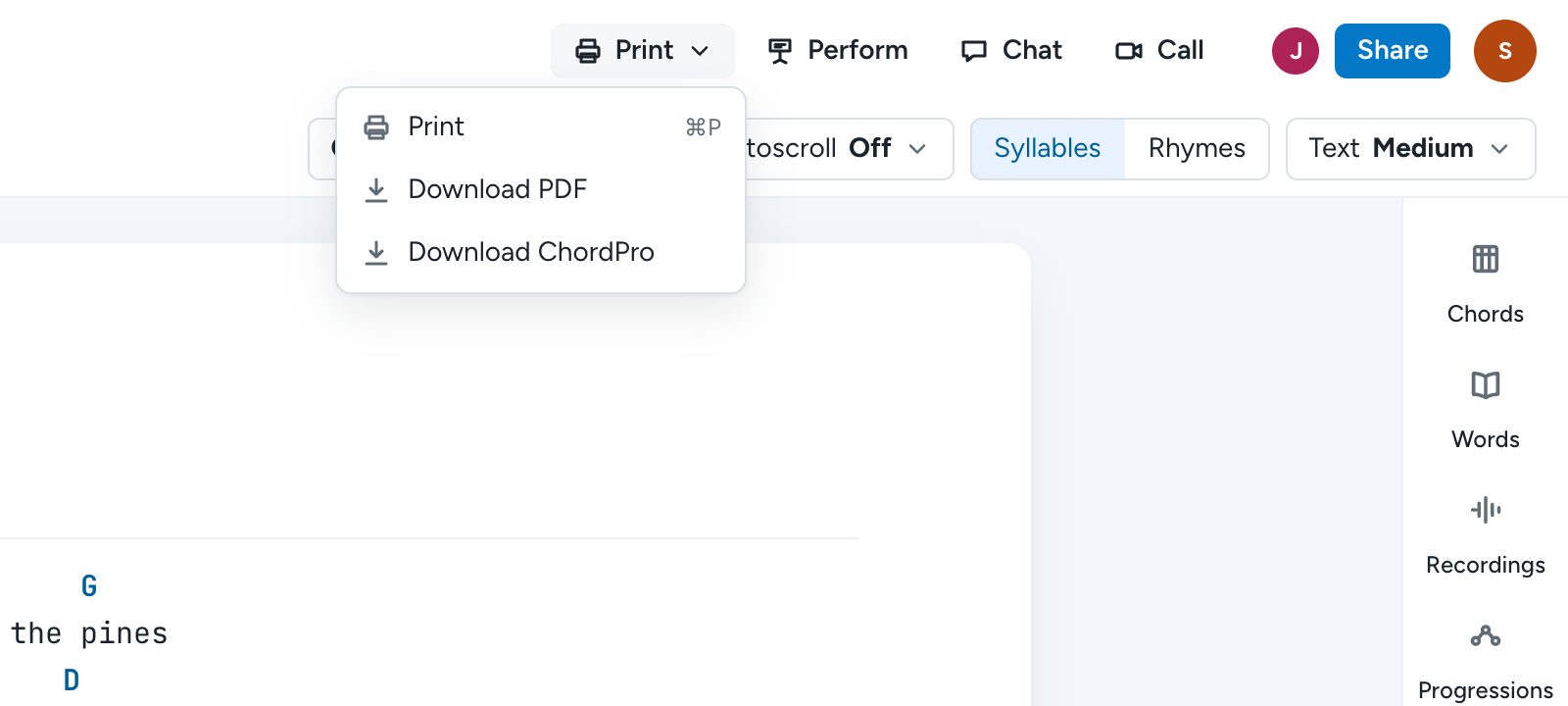
You can also press ⌘P (Ctrl+P on Windows) anywhere in the song.
Set up the page
Choosing Print opens a preview with the settings across the top, and the page updates as you change them:
- Choose a Paper size, Letter or A4.
- Choose a Text size, or Fit to fewest pages.
- Under Columns, choose 1 or 2. Two columns fit most songs on a single page.
- Under Chords, choose Letters, Numbers for Nashville numbers (Pro, once the song has a key), or None for a lyrics-only sheet.
- Optional: check Chord diagrams to add chord charts to the page, and uncheck Tabs to leave out your tab blocks.
When it looks right, click Print or Download PDF. The page count shows how many pages it will take.
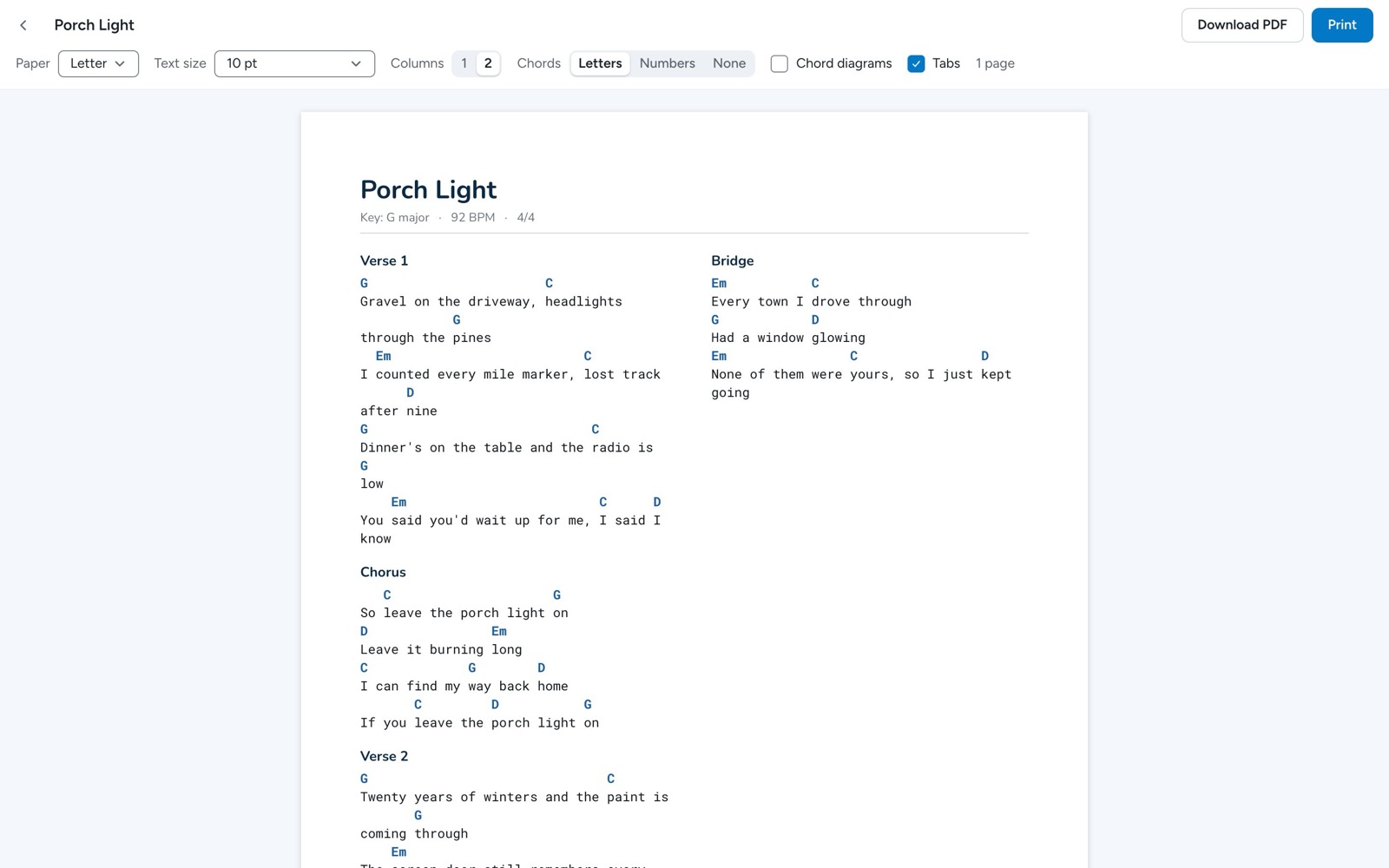
The chart's header shows the key, tempo, and time signature, plus the capo when the song has one. Charts printed on the free plan have a small Songcraft line at the bottom of the page, and Pro charts don't.
Download a ChordPro file (Pro)
ChordPro is the plain-text format that chord apps like OnSong and SongbookPro open. In the song's top bar, click Print and choose Download ChordPro, and the .cho file downloads right away.
Export all of your songs (Pro)
- Click your name at the bottom of the sidebar and choose Settings.
- Under Your songs, find Export all songs and click Export.
- Choose your Formats: PDF, ChordPro (.cho), and Text (.txt), plus Recordings for the original audio files.
- Click Export.
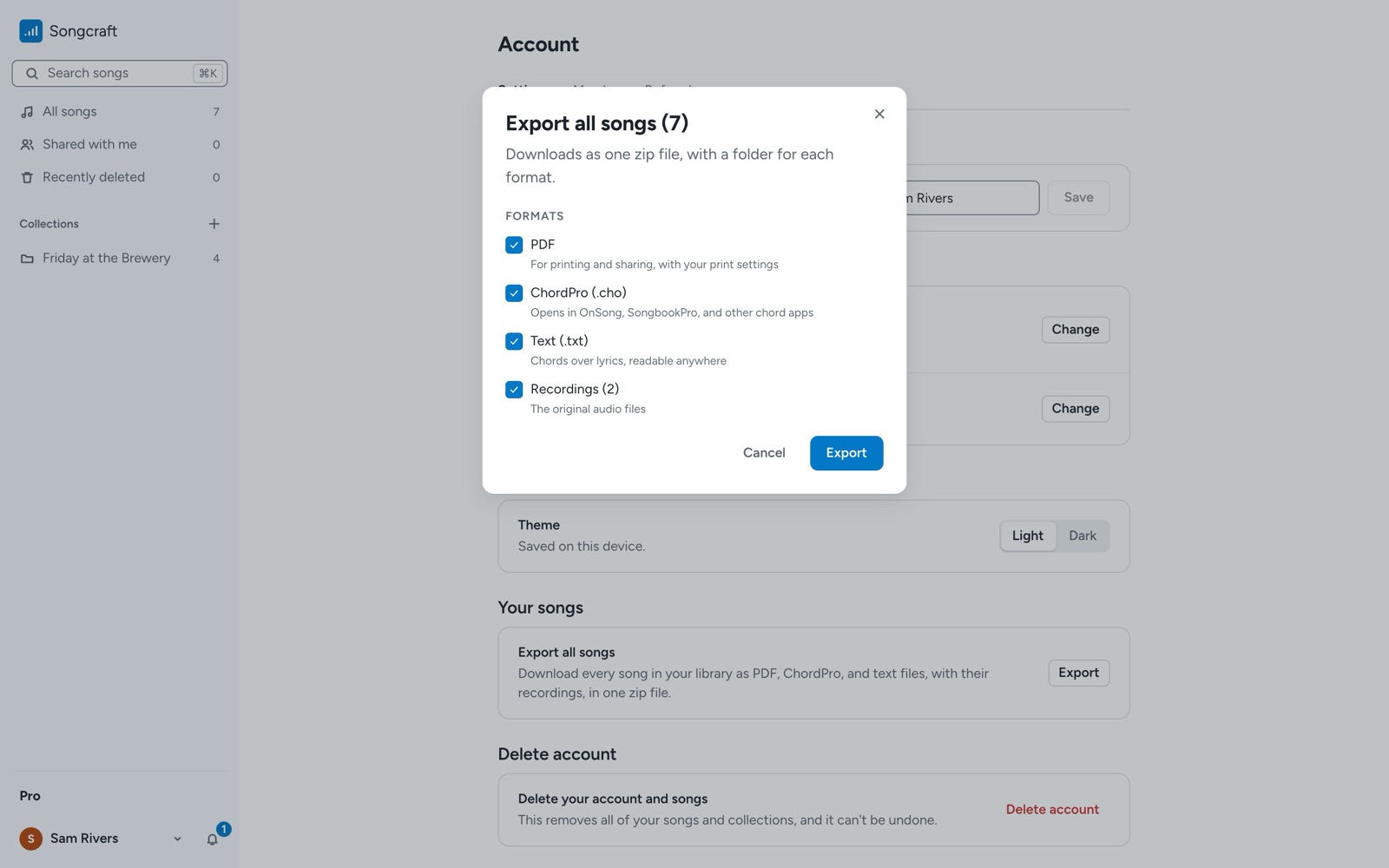
You'll get one zip file with a folder for each format. The PDFs use your print settings.
Tips
Set a capo from Key in the music bar, and it prints in the chart's header. To share a song without printing it, use Share and turn on Anyone with the link (see Write songs with co-writers). To play from your screen instead of paper, try Perform.