
If your songs live in Word documents, PDFs, notes apps, or another chord app, you can bring them into Songcraft without retyping them. Import songs reads Text, Word, PDF, ChordPro, and OnSong files, as many as you like at once, and turns each one into a song in your library with its lyrics, chords, sections, and key. Voice memos can come along too. Importing is free on every plan.
Import song files
- In your library, click Import songs next to New song. On a phone, tap + and choose Import songs.
- Drag your files onto the window, or click Choose files.
- Check the list. Each file shows the song's title, its format, and the key we found. A song that's already in your library says so and starts unchecked, and you can click Add files to add more.
- Click Import songs (it shows how many, like Import 3 songs).
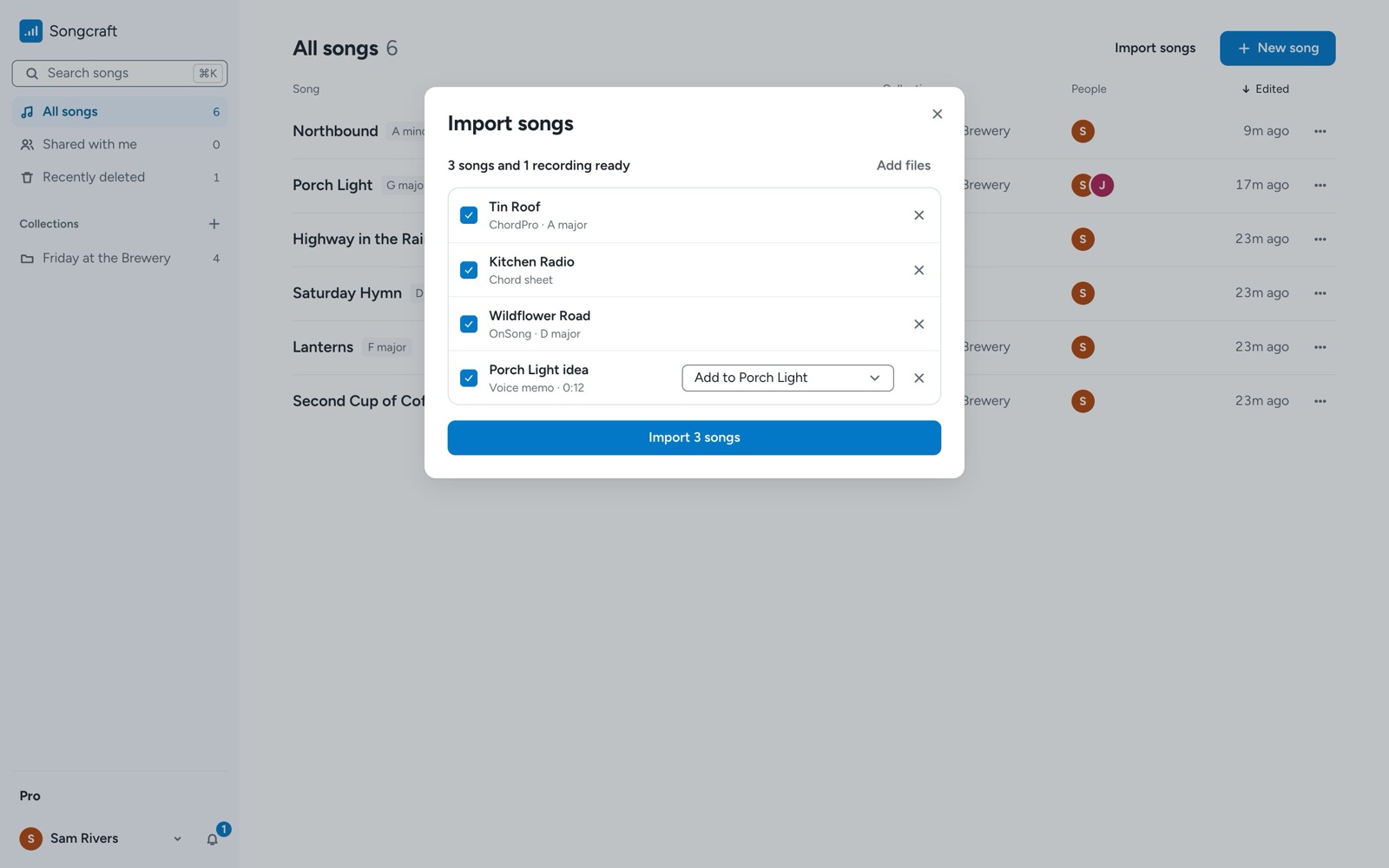
Songcraft reads these file types:
- Text and OnSong files (.txt, .md, .onsong), including chord sheets with the chords on their own lines.
- ChordPro files (.cho, .chopro, .chordpro, .crd, .pro).
- Word documents (.docx) and PDFs.
- Voice memos and other audio (.m4a, .mp3, .wav, .aac, .ogg).
Bring in voice memos
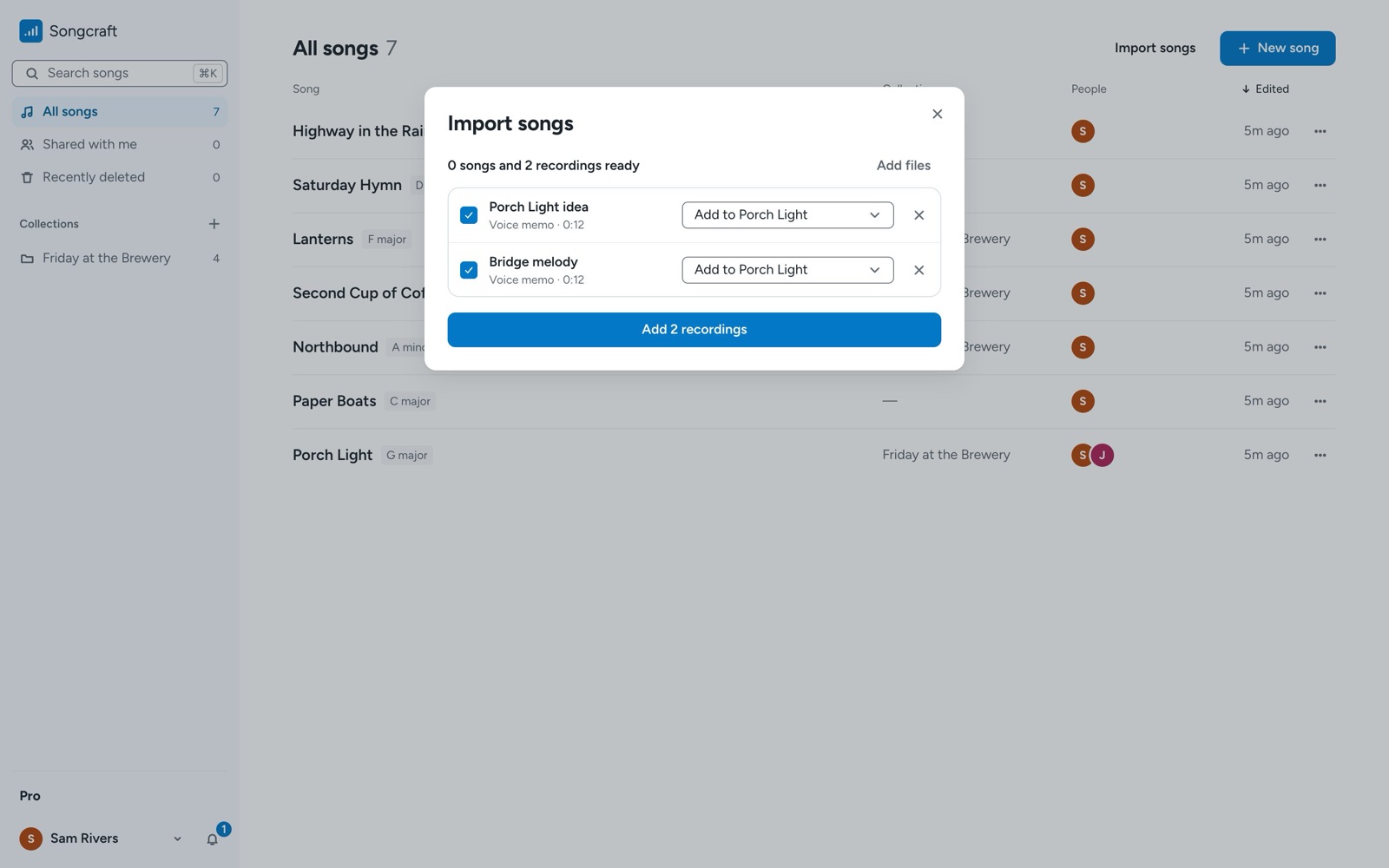
Add audio files in the same window. Each recording gets a menu where you choose New song to start a song from it, or Add to a song you already have (for example, Add to Porch Light). A recording added to an existing song shows up in that song's Recordings.
Paste a chord sheet into a song
You don't need a file to bring in one song. Copy a chord sheet from another app or website (ChordPro, OnSong, or plain chords over lyrics) and paste it into a song. Songcraft converts it into Songcraft chords, sections, and tabs, and shows Pasted as Songcraft chords. It also fills in the title, key, tempo, time signature, and capo when the song doesn't have them yet. If you'd rather keep the text as it was, undo once.
If you're on the free plan
The free plan holds 5 songs. When you import more than you have room for, we pick your most recently edited songs to fill the free spots, and we'll save the rest for 90 days. A Finish import button in your library brings them in whenever you're ready, and Pro brings them all in at once. To make room on the free plan, you can move a song to Recently deleted.
Tips
Voice memos that you add to an existing song don't count toward the free song limit. Once your songs are in, put them in collections or get them ready for the stage.