
Search finds any song in your library from wherever you are in Songcraft. Type part of a title, a line you remember from the lyrics, a collection's name, or a co-writer's name, and press Enter to open the song. Search is free on every plan.
Search your songs
- Press / or ⌘K (Ctrl+K on Windows) from your library, your account pages, or a song. You can also click Search songs at the top of your library's sidebar.
- Type what you remember.
- Use the arrow keys to pick a result and press Enter, or click it.
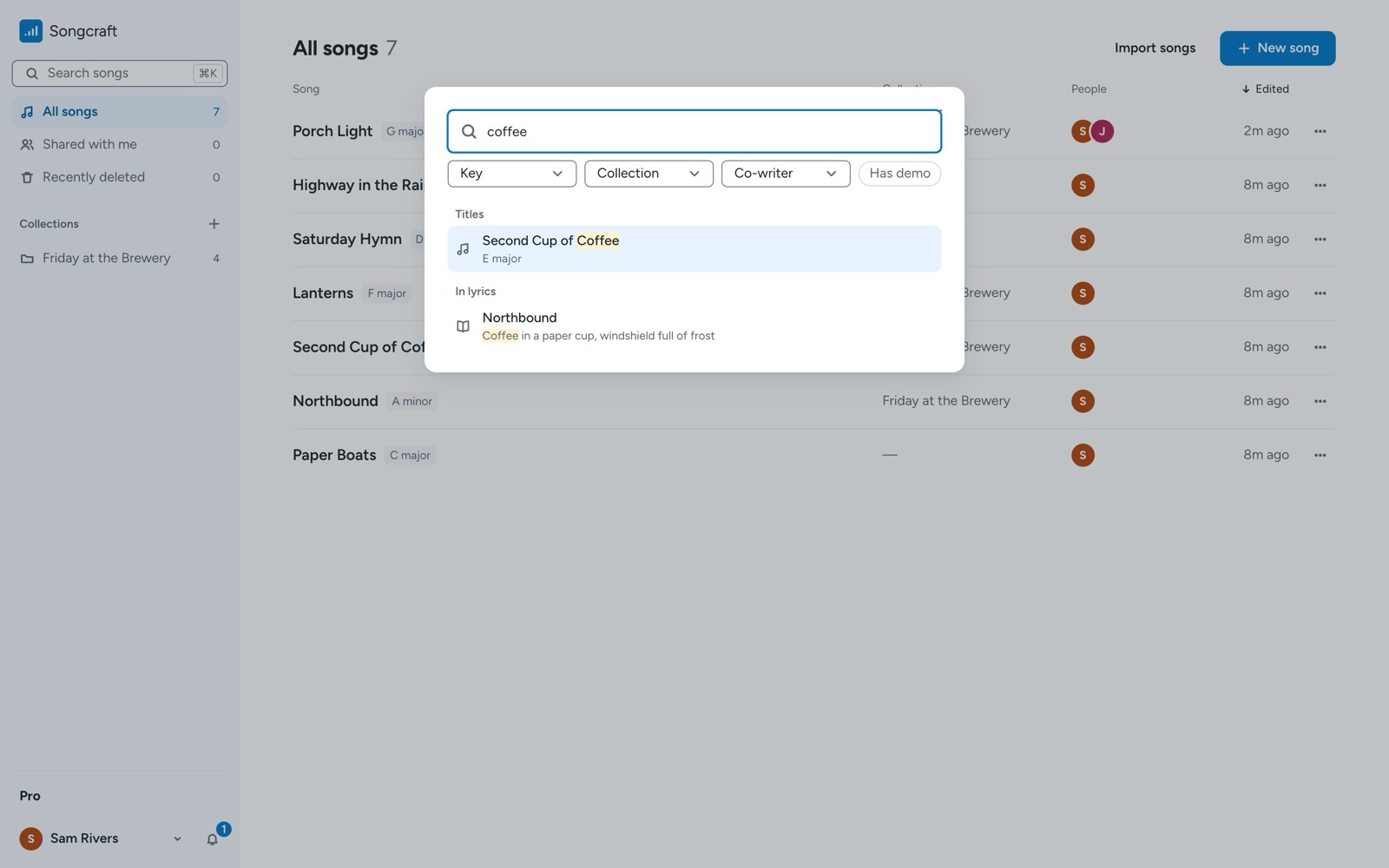
Results are grouped into Titles, In lyrics, Sets, Collections, and People, and choosing a set or a collection opens it. When a match is in the lyrics, you'll see the line it's in. With nothing typed, search shows your recent songs.
Filter the results
The menus under the search box narrow the list. Key shows songs in one key, Collection shows the songs in one collection, and Co-writer shows the songs you've written with one person. Has demo shows only songs with a demo.
Tips
Press ⌘K again, or Escape, to close search. Songs in Recently deleted don't show up in search; find them in the sidebar instead. On a phone, tap the search icon at the top of your library. For more on keeping songs organized, see Share a collection of songs with your band, which starts with making a collection.