
The Words tool sits beside your song and finds rhymes, synonyms, related words, and words that sound alike, grouped by syllable count so you can fit them to the line. Rhymes colors the ends of the lines that rhyme, right in your song, and labels your rhyme scheme (A, B, A, B) as you write. Both are free on every plan.
Look up a word
- Open a song and click Words on the right side. On a phone, tap Words at the bottom.
- Type a word in Type a word and press Enter. You can also select a word in your song and choose Look up, or put your cursor on a word and press ⌥W (Alt+W on Windows).
- Choose a tab: Rhymes, Synonyms, Related, or Sounds like.
- If you looked up a word from your song, click a result to swap it in.
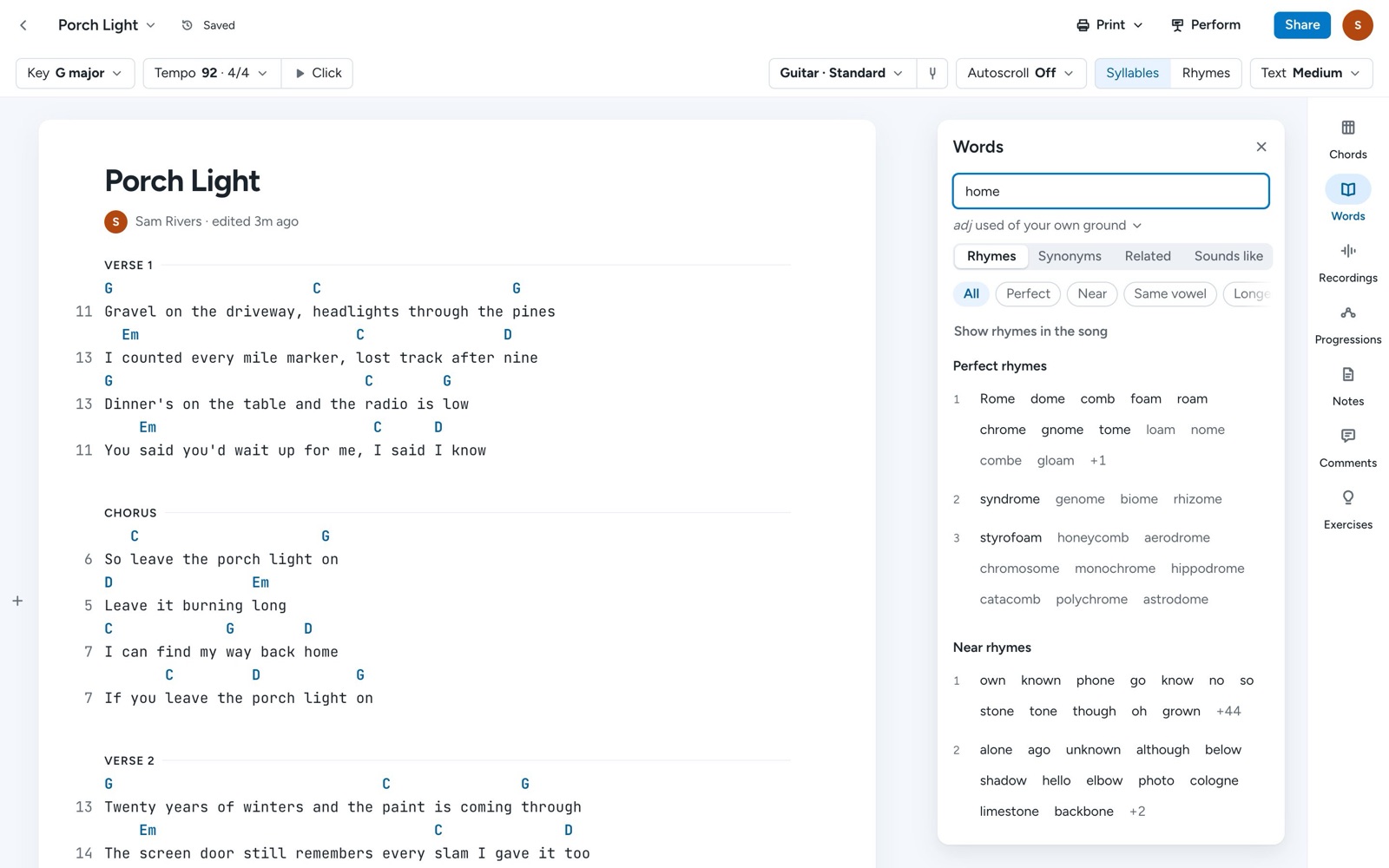
The word's meaning shows under the search box, and you can expand it to step through its other meanings.
Narrow the rhymes
On the Rhymes tab, the chips under the tabs filter the list. Perfect shows perfect rhymes, like home and roam. Near shows family, additive, and subtractive rhymes, like home and phone. Same vowel shows words that share the vowel sound (assonance), and Longer shows multisyllabic rhymes. All brings every kind back.
See which lines rhyme
In the bar above your song, click Rhymes. On a phone, tap Aa and turn on Rhyme colors. The last words of lines that rhyme are colored to match, and each line gets a letter for its place in the rhyme scheme. Click Rhymes again to turn the colors off.
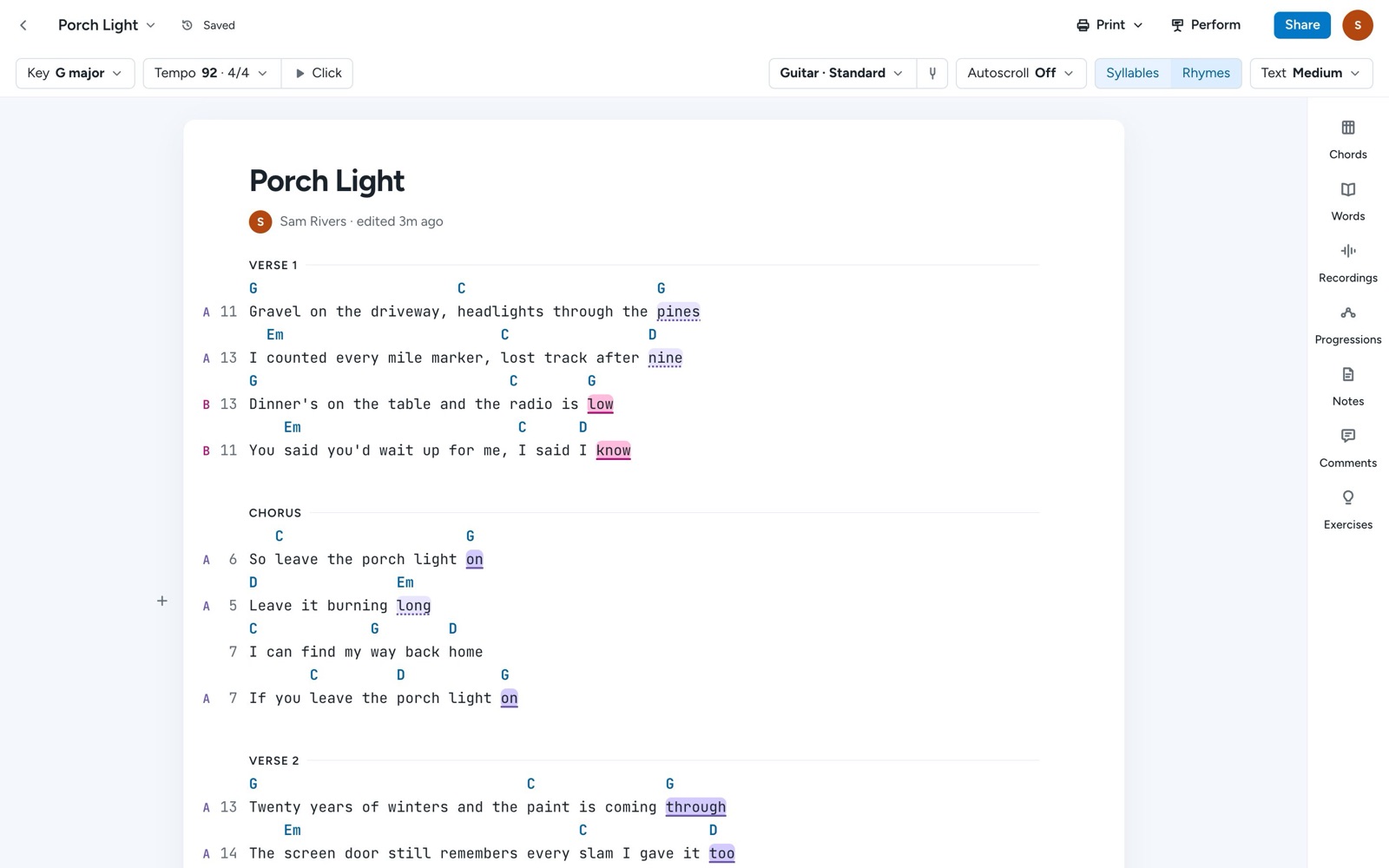
While the Words tool is open on Rhymes, Show rhymes in the song turns the colors on for you.
Count syllables
Syllables in the same bar shows a syllable count beside each line, which helps when you want a verse to match the one before it. It's on to begin with. On a phone, it's Syllable counts under Aa.
Tips
Rhyme colors and syllable counts are saved on each device, so you can keep them on at your desk and off on your phone. You can copy any result from its menu. For more on writing with chords as well as words, see Chords, progressions, piano, and ukulele.