
Songcraft recognizes the chords in your song, shows you how to play them on guitar, ukulele, or piano, and plays them back so you can hear the progression. The Chords tool lays out every chord in your key, and Progressions has classic progressions and standards to try, plus an idea generator for something new. All of this is free, and saving progressions and custom tunings are part of Pro.
See and hear a chord
Hover over any chord in your song (or tap it on a phone) to see its chart. Click the chart to hear it. For guitar and ukulele, the arrows step through other shapes for the same chord, and the lock uses the shape you picked everywhere in the song.
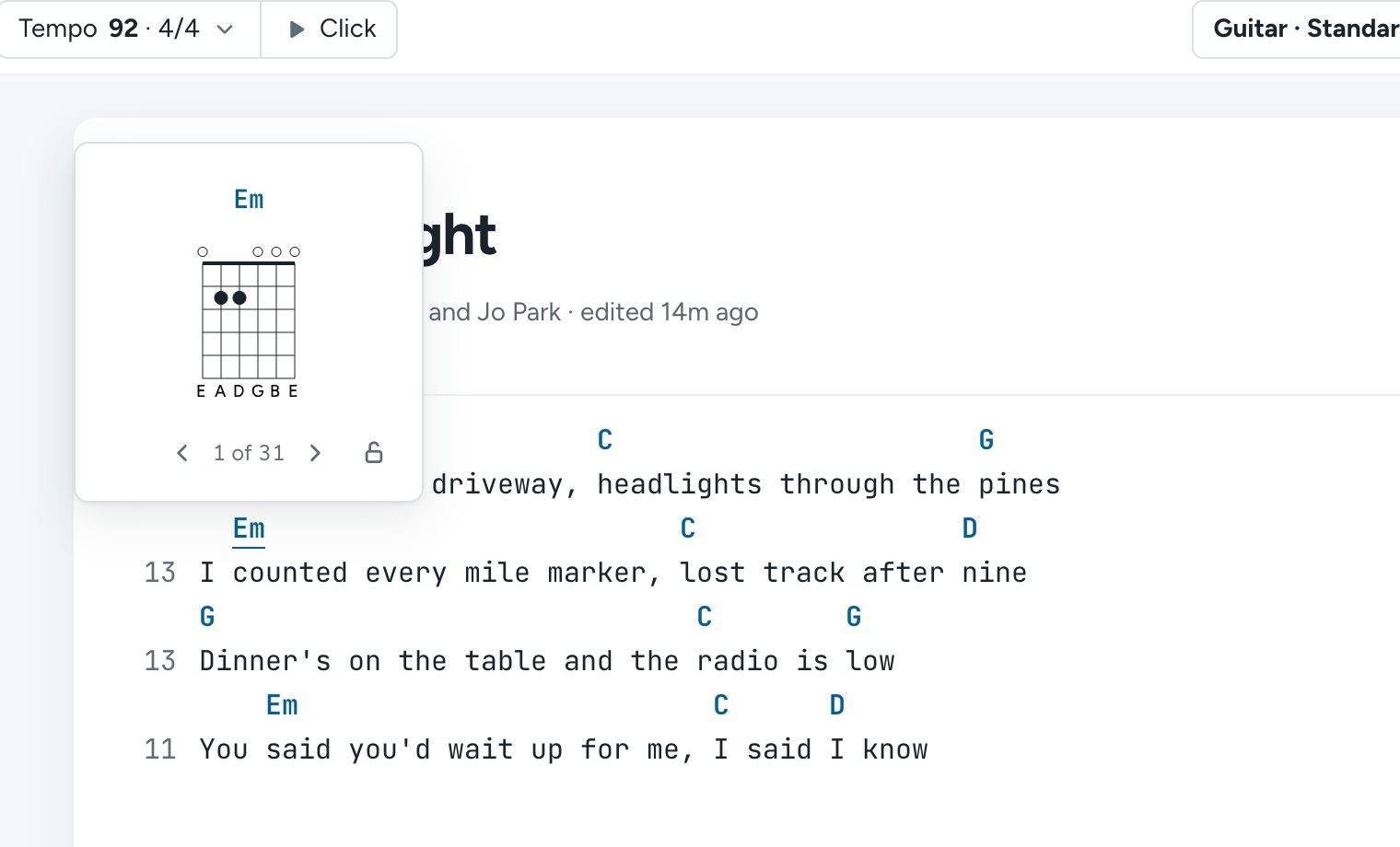
Songcraft reads chords however you write them, so C-7, Cm7, and CΔ7 all work, along with slash chords and extensions.
Choose guitar, ukulele, or piano
- In the bar above your song, click the instrument (it starts as Guitar · Standard).
- Choose Guitar, Ukulele, or Piano. Piano charts show the keys to play, with note names.
- For guitar and ukulele, pick a Tuning, or click Add custom tuning (Pro).
- Optional: turn on Show chord diagrams above the song to keep a chart of every chord at the top.
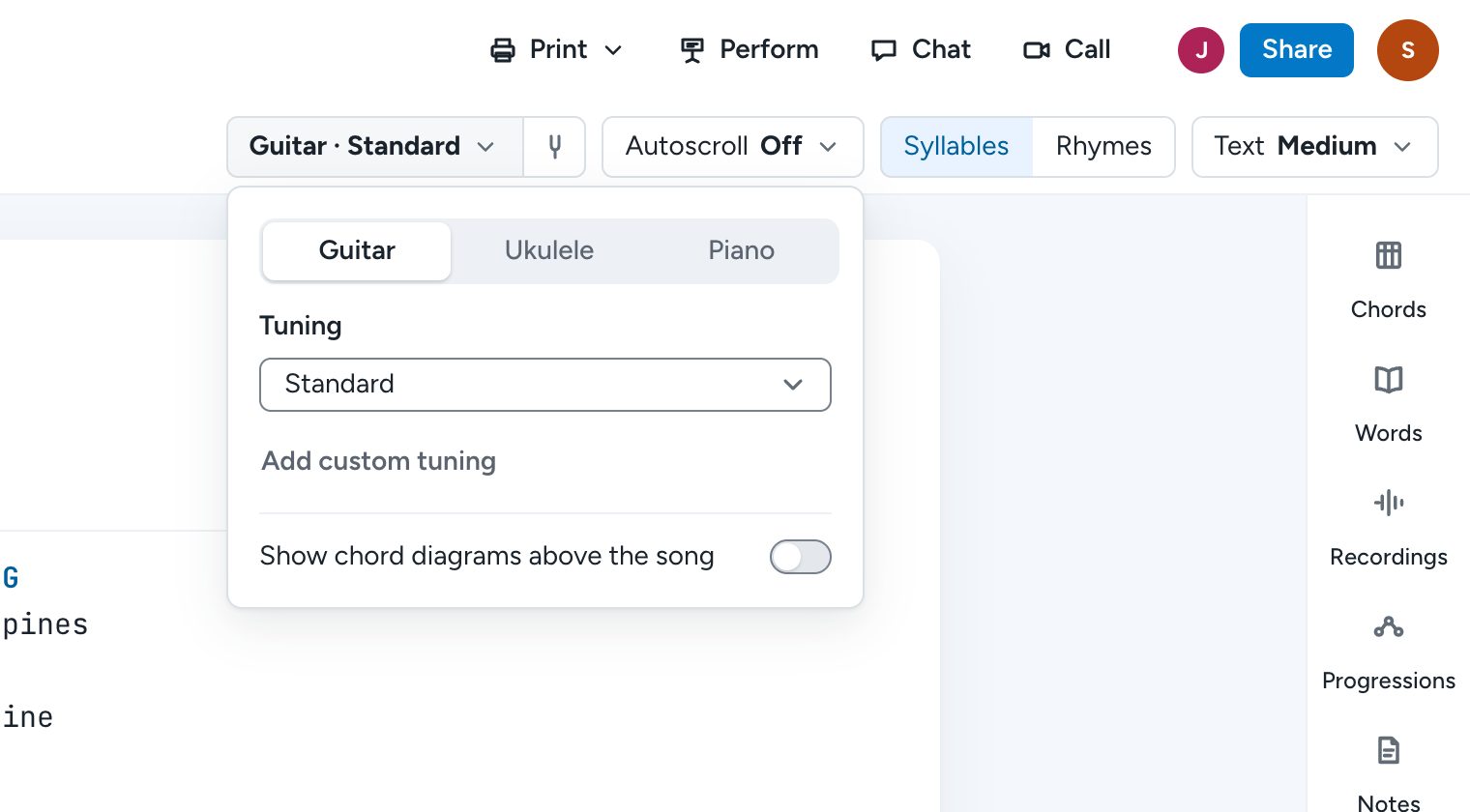
The fork icon beside the instrument opens the tuner.
Explore the chords in your key
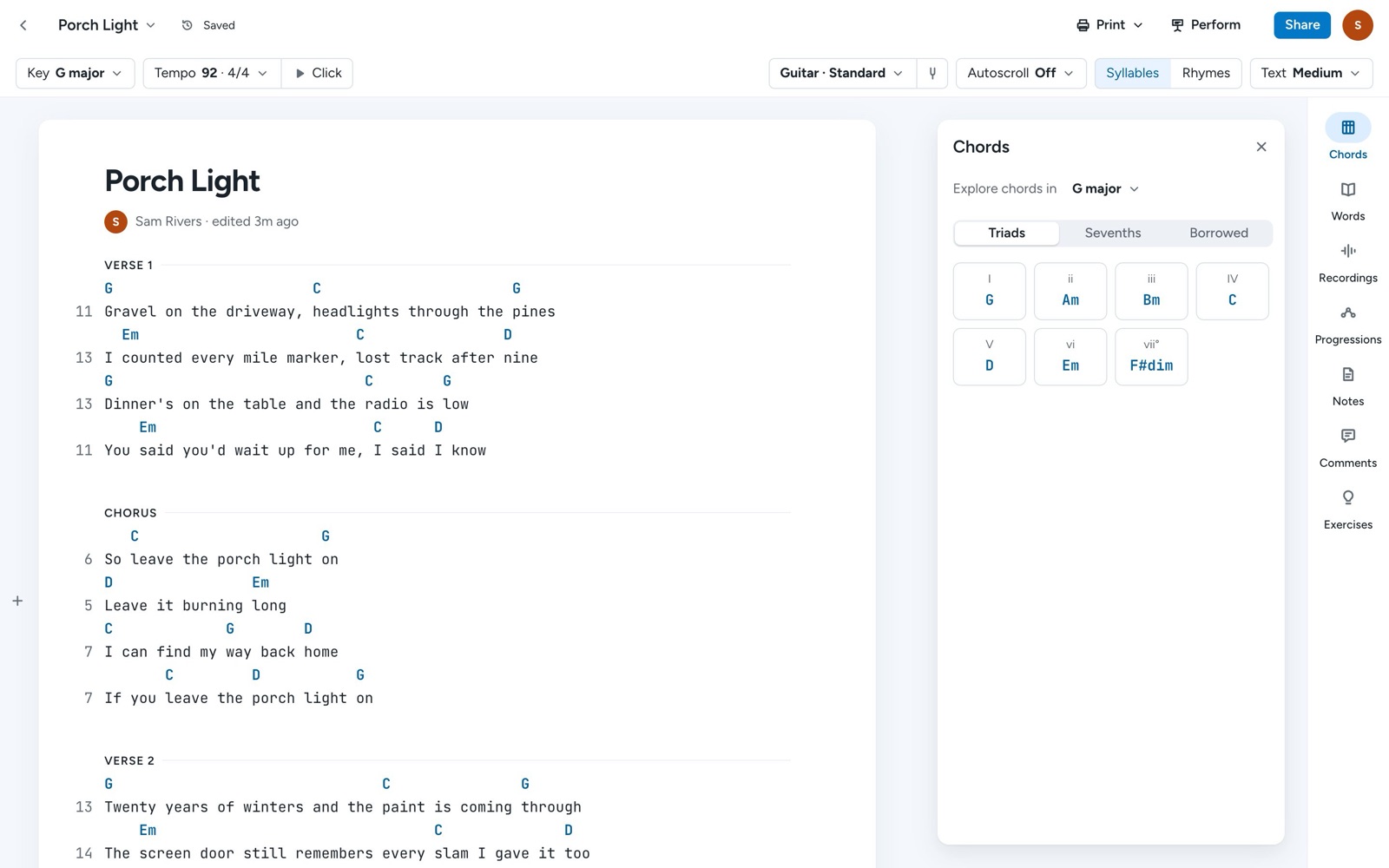
Click Chords on the right side of the song. You'll see the chords that belong to the song's key under Triads, Sevenths, and Borrowed. Click a chord to hear it, or drag it into your song. Use the key menu at the top to explore another key.
Try a progression
- Click Progressions on the right side of the song.
- On Standards, choose one of the classics, grouped as Pop, Rock, Ballad and soul, Jazz, Blues, and Minor and moody. You'll find progressions like Doo-wop, Royal Road, Canon, 12-bar blues, and Andalusian.
- Click Play to hear it, and click Loop to keep it going while you hum over it.
- For something new, switch to Ideas and click Generate.
- Click Save (Pro) to keep a progression you like.
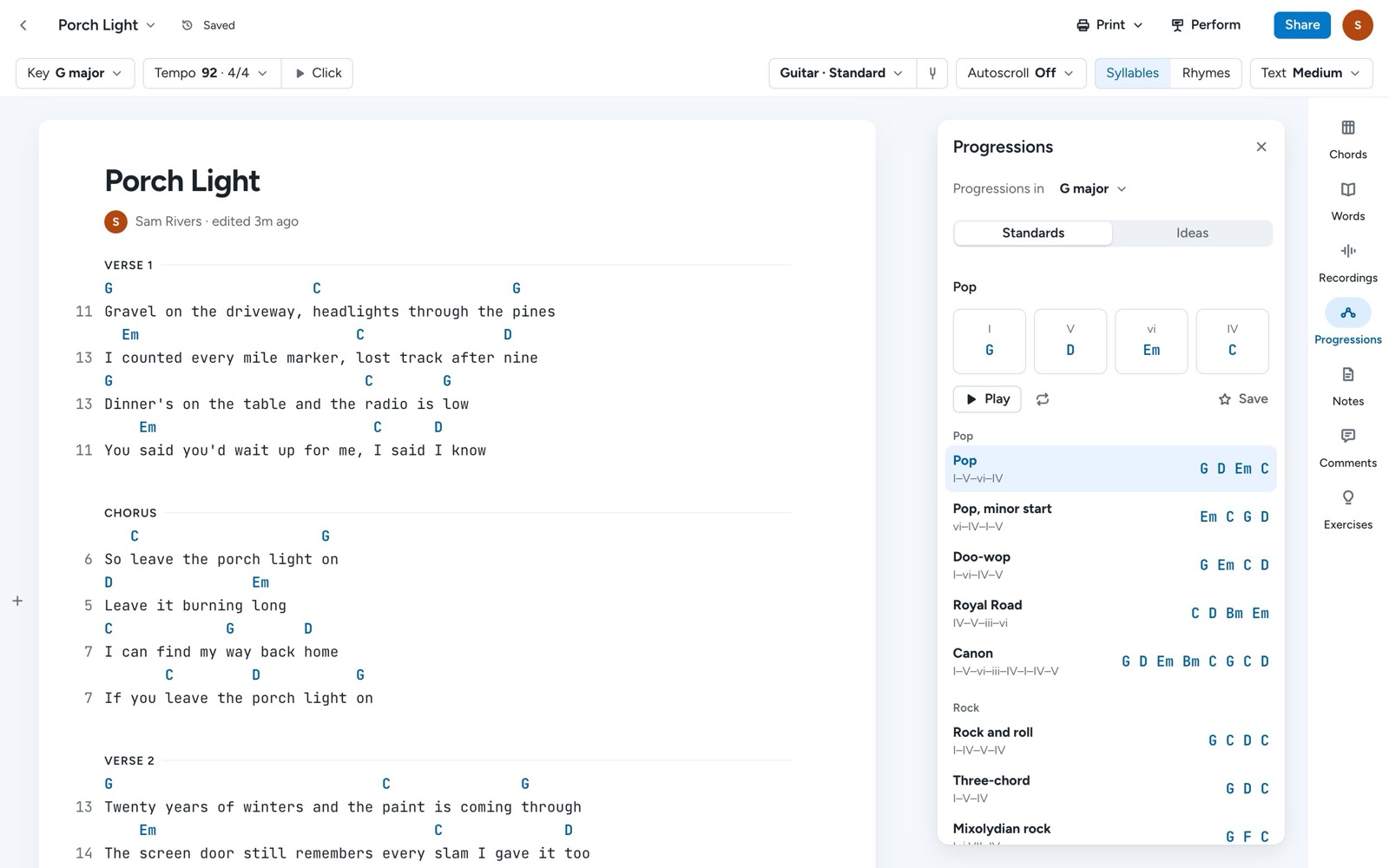
Progressions follow your song's key, and you can switch keys from the menu at the top.
Change the key or transpose
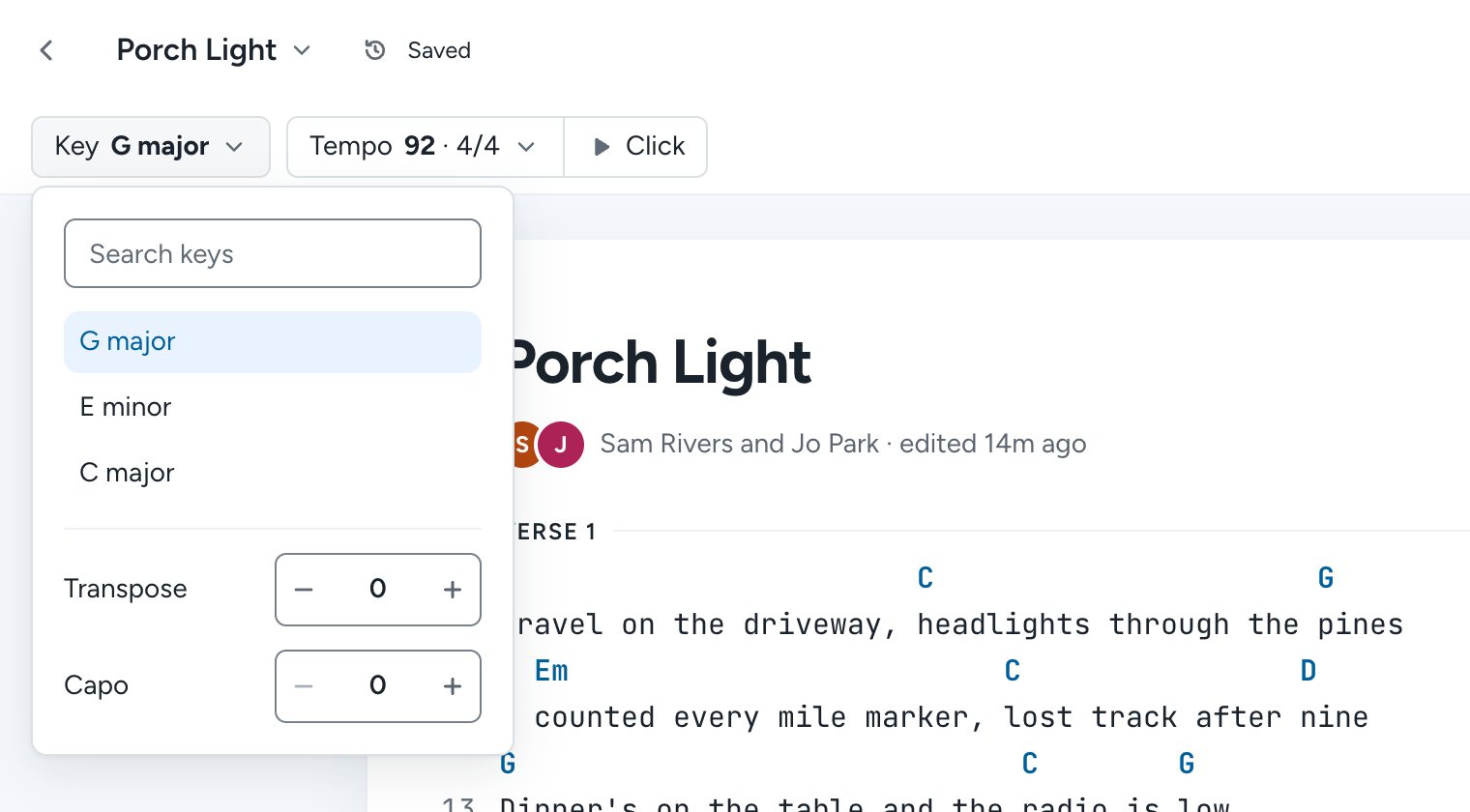
Click Key in the bar above your song to set its key. Once it has one, Transpose moves every chord up or down for everyone on the song, and Capo sets a capo, which prints on the chart.
Tips
Ukulele chords play with a ukulele sound and piano chords with a piano. Click Click beside the tempo for a metronome that follows your time signature. To write out a riff, add a tab block; see Write guitar tabs next to your lyrics.